
Technical SEO: Make Your Website Search-Engine Friendly.
Learn how crawling, indexing, robots.txt, XML sitemaps, canonical tags, page speed, structured data and other technical foundations help search engines access, understand and index a website correctly.
What is Technical SEO?
Technical SEO focuses on the technical aspects of a website that affect how search engines discover, crawl, understand and index its pages.
Imagine you have excellent content, but Google cannot access the page because it is accidentally blocked. That content may never receive the visibility it deserves.
Technical SEO therefore creates the foundation that allows your On-Page SEO and content to work effectively.
Crawling, indexing and ranking are not the same thing.
Understanding this difference makes technical SEO much easier.
Discovery
Google discovers URLs through links, XML sitemaps, previous crawls and other signals.
Crawling
Googlebot requests accessible URLs and retrieves the content it can access.
Indexing
Google evaluates the page and may include it in its searchable index.
Ranking
Indexed pages may then compete for visibility when relevant searches are performed.
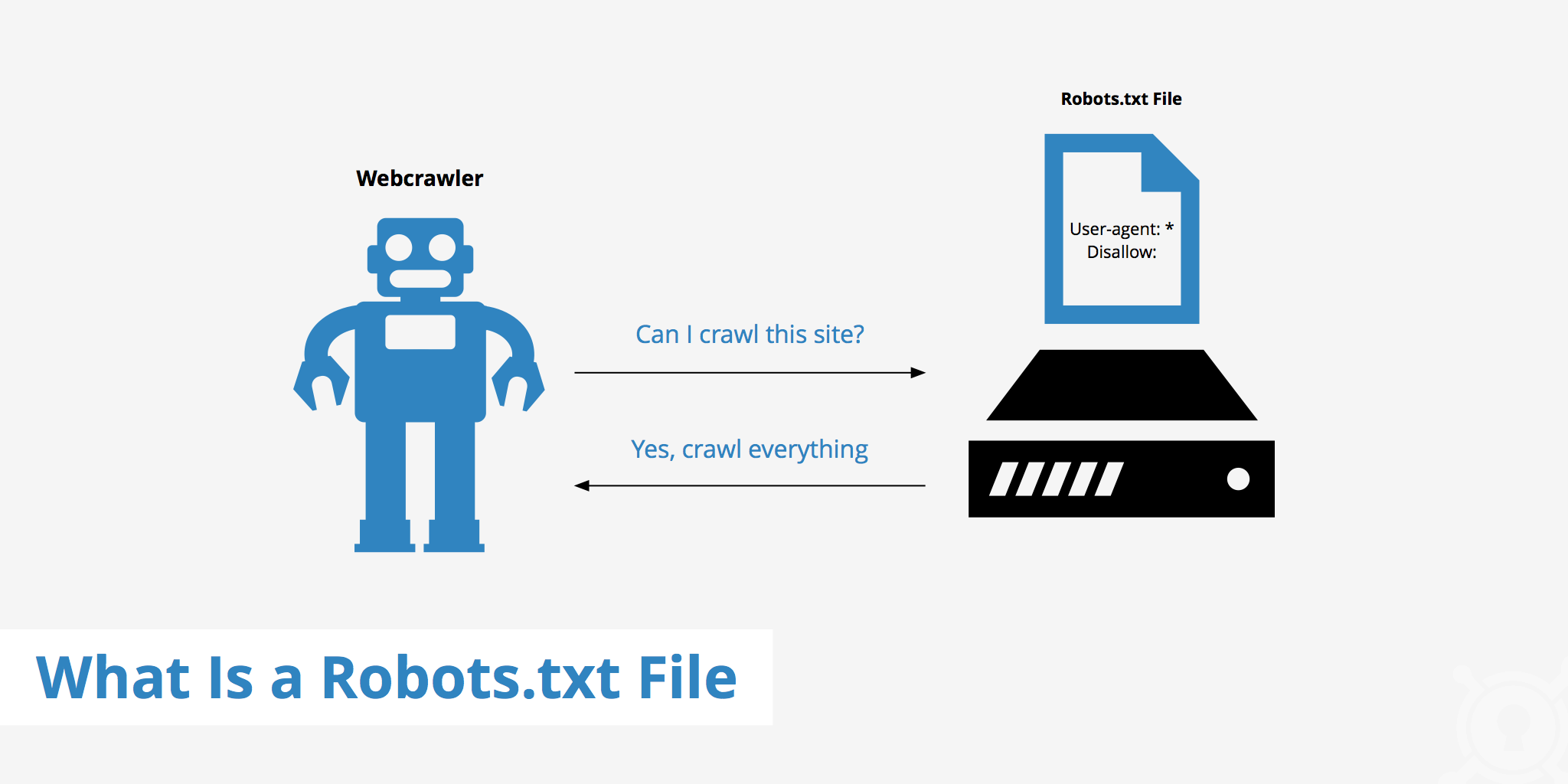
Robots.txt
A robots.txt file provides crawling instructions to search engine bots. It is normally located at:
It can help prevent crawlers from accessing certain sections that do not need to be crawled.
XML Sitemap
An XML sitemap is a machine-readable file that lists important URLs you want search engines to discover.
For many WordPress websites, an SEO plugin automatically creates a sitemap. Common examples may look like:
How to submit a sitemap to Google Search Console
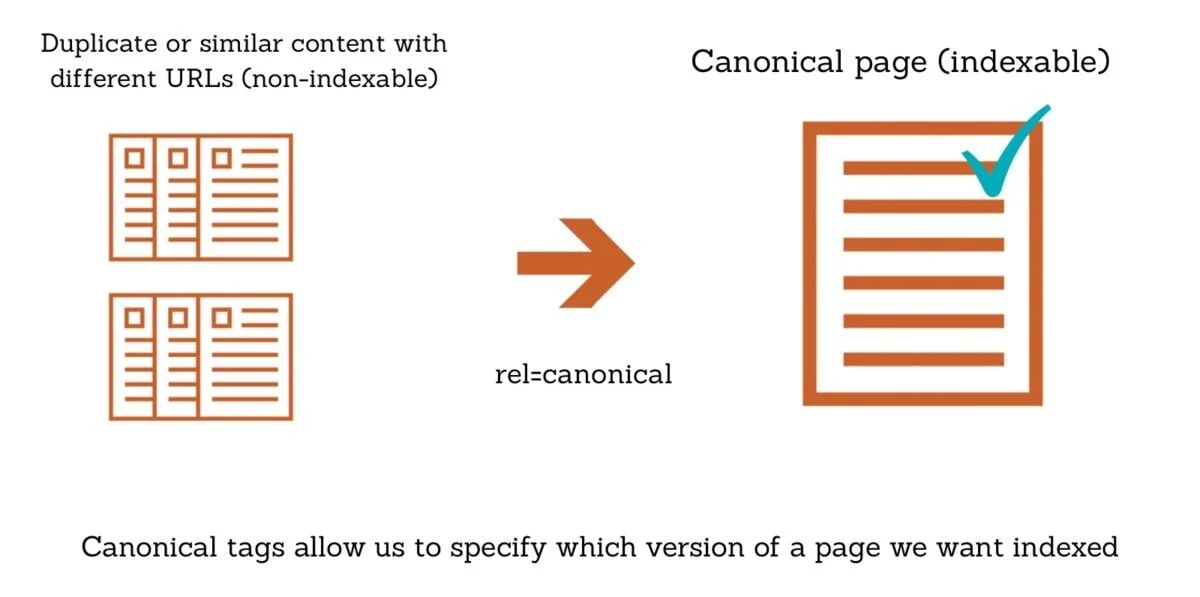
Canonical URLs
Sometimes multiple URLs contain the same or very similar content. A canonical tag can indicate which URL you prefer search engines to treat as the representative version.
Know what the server is telling search engines.
HTTP status codes communicate whether a page loads normally, redirects somewhere else, cannot be found or has a server problem.
OK
The page loaded successfully and can normally be processed.
Permanent Redirect
The old URL permanently redirects users and search engines to another URL.
Not Found
The requested page does not exist at that URL.
Server Error
The server is temporarily unable to successfully return the page.
Website Performance
Fast, responsive pages generally provide a better experience for visitors and make websites easier to use.
Page Speed & Core Web Vitals
Page performance can be affected by large images, heavy JavaScript, slow hosting, unnecessary plugins, third-party scripts and inefficient frontend code.
Use Google PageSpeed Insights to test individual URLs and review both laboratory and available real-user data.
Check Website Speed →Schema Markup & Structured Data
Structured data provides machine-readable information about entities and content on a webpage.
One common format is JSON-LD. For example, a business could provide structured information describing its organisation.
After implementing supported structured data, test the page using Google's Rich Results Test.
Test Structured Data →Other technical areas you should understand.
Technical SEO goes beyond sitemaps and page speed. These areas can also affect how efficiently a website is crawled, indexed and used.
HTTPS
Use secure HTTPS connections and avoid insecure mixed-content resources where possible.
Mobile Usability
Pages should work properly across mobile devices without tiny text, broken layouts or difficult interactions.
Site Architecture
Important pages should be reachable through a logical navigation and internal linking structure.
Broken Links
Regularly review internal links that point to deleted, incorrect or inaccessible URLs.
Redirect Chains
Avoid unnecessary sequences such as URL A → URL B → URL C when a direct redirect is possible.
Duplicate Content
Manage duplicate or near-duplicate URLs through sensible architecture, canonicalisation and indexing decisions.
Orphan Pages
Important pages should normally receive relevant internal links instead of existing without connections to the site.
Noindex
A noindex directive can request that a page is not included in search results when indexing is not desired.
JavaScript SEO
Important content and links should remain accessible and understandable when websites depend heavily on JavaScript.
How to check Technical SEO step by step.
Use this simplified workflow when reviewing a website.
Check Whether Important Pages Are Indexed
Use Google Search Console and URL Inspection to understand whether key URLs can be indexed and whether Google has indexed them.
Review Robots.txt
Confirm that important pages and resources are not being blocked accidentally.
Check the XML Sitemap
Make sure the sitemap loads properly and contains the important canonical URLs you want search engines to discover.
Submit Sitemap to Search Console
Submit the sitemap and monitor whether Google can process it successfully.
Review Status Codes & Redirects
Check for broken pages, unnecessary redirect chains and server errors affecting important URLs.
Check Canonical Tags
Verify that important pages point to the intended preferred URL and are not accidentally canonicalised elsewhere.
Test Website Speed
Review PageSpeed Insights and investigate heavy images, scripts, plugins and server-side performance issues.
Review Mobile Experience
Test important templates on smaller screens and make sure content remains readable and usable.
Validate Structured Data
Test relevant schema markup and correct invalid or inaccurate structured data where necessary.
Monitor Search Console
Technical SEO is ongoing. Continue monitoring indexing, crawl issues, performance and changes after website updates.
Remember these five things.
Technical SEO Quiz
Answer all five questions and check your score.