Author: Afiq Ibrahim

  • What Is On-Page SEO? A Complete Guide to Boost Your Website Rankings

    What Is On-Page SEO? A Complete Guide to Boost Your Website Rankings

    Have you ever asked yourself: “Why isn’t my website showing up on Google, even though it looks great?”
    The answer often comes down to On-Page SEO.

    On-Page SEO is the foundation of your online visibility. It’s what tells Google exactly what your website is about — and why it should show your page instead of your competitors’.

    In this guide, we’ll break down what On-Page SEO is, why it matters, the most important factors to focus on, and how you can apply them to get better rankings, more traffic, and more customers.


    What Is On-Page SEO?

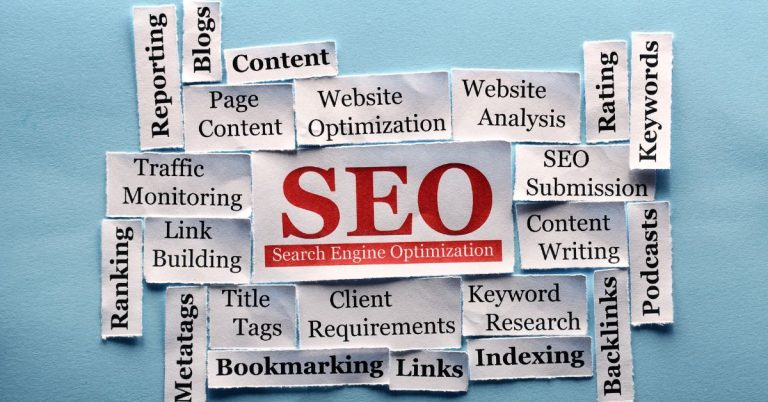
    On-Page SEO refers to the practice of optimizing the content, structure, and HTML elements of a web page so it can rank higher on search engines like Google.

    Think of it like preparing your store before customers walk in:

    • Your content is the products.
    • Your headings and layout are the shelves.
    • Your URLs and meta tags are the signboards that guide customers.

    When everything is in place, search engines (and users) understand your site better.

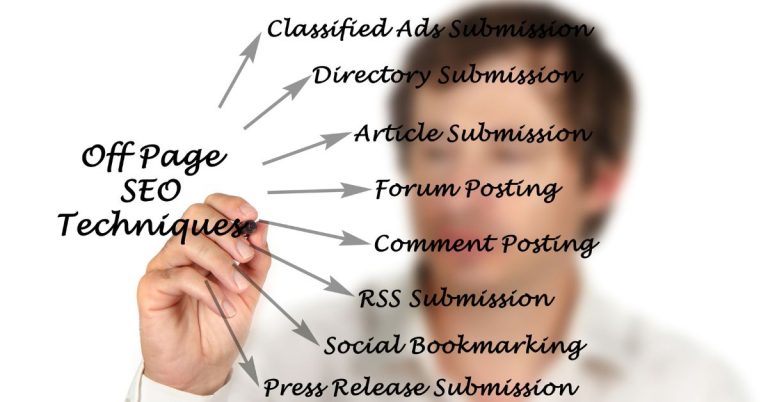
    On-Page SEO vs Off-Page SEO:

    • On-Page SEO = everything you control on your website (content, structure, keywords).
    • Off-Page SEO = actions outside your site (backlinks, mentions, PR).

    Both matter — but On-Page SEO is always the first step.


    Why On-Page SEO Matters

    Here’s why you can’t ignore On-Page SEO:

    • 📈 Better visibility: Google needs to understand your page before it ranks it.
    • 🎯 More qualified traffic: You’ll attract people actively searching for what you offer.
    • 🤝 Builds credibility: Pages that load fast, are well-structured, and easy to read keep users’ trust.
    • 💰 Long-term results: Unlike ads that stop when you stop paying, On-Page SEO keeps working for you 24/7.


    Key On-Page SEO Factors to Focus On

    Here are the most important elements you should optimize:

    1. Title Tags

    The clickable headline in Google search results.

    • Keep it under 60 characters.
    • Include your target keyword.
    • Make it compelling (not just “Home”).

    Example: Instead of “About Us”, write “About Creative Site | Digital Marketing Agency Malaysia”.


    2. Meta Descriptions

    The short text under your title in Google.

    • 150–160 characters.
    • Use keywords + call-to-action.
    • Write it for humans, not just robots.

    3. Headings (H1, H2, H3)

    Headings break content into digestible sections.

    • Only 1 H1 (your main topic).
    • Use H2s for subtopics, H3s for details.
    • Naturally include keywords.

    4. Content Quality

    Content is still king — but context is queen.

    • Write unique, useful, and detailed content.
    • Answer questions your audience is searching for.
    • Mix in images, videos, infographics.

    5. Keyword Placement

    • Put your main keyword in the first 100 words.
    • Sprinkle related keywords naturally.
    • Avoid stuffing — Google is smarter than that.

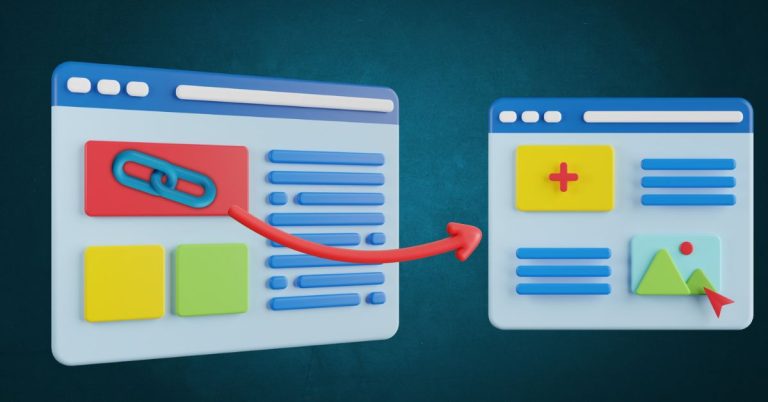
    6. Internal Linking

    Guide visitors (and Google) to other relevant pages.

    • Example: link your blog post about On-Page SEO to your SEO Services page.
    • This builds authority and keeps visitors engaged.

    7. URL Structure

    Clean, short, and keyword-based.


    8. Image Optimization

    • Compress images for fast loading.
    • Use descriptive file names (e.g., on-page-seo.png).
    • Add alt text for accessibility and SEO.

    9. Mobile-Friendly Design

    More than 60% of searches come from mobile.
    Your site must look and work great on all devices.


    10. Page Speed

    Slow websites = high bounce rates.
    Use tools like Google PageSpeed Insights or GTmetrix to test and improve speed.


    On-Page SEO Best Practices (2025 Edition)

    • Always write for humans first, then optimize for Google.
    • Use tools like Google Search Console, Ubersuggest (recommended by me!), or SEMrush (Quite expensive BUT very WORTH IT!).
    • Focus on search intent — why someone is Googling.
    • Update old content regularly.
    • Use structured data (schema) if relevant.

    Common On-Page SEO Mistakes to Avoid

    ❌ Keyword stuffing
    ❌ Duplicate content
    ❌ Ignoring mobile optimization
    ❌ Slow loading speed
    ❌ No internal linking


    How On-Page SEO Works With Other Strategies

    On-Page SEO is the foundation. But to win the long game, you need to combine it with:

    • Technical SEO (site speed, sitemaps, crawlability).
    • Off-Page SEO (backlinks, PR, social signals).
    • Content Marketing (blogs, guides, videos).

    Together, they create a complete SEO strategy.

    Check it out with Google how to get your website on Google Search


    Conclusion

    On-Page SEO may sound technical, but it’s really about one thing: making your website clear, useful, and easy to understand — for both users and Google.

    By optimizing your titles, content, structure, and speed, you give your business the best chance to rank higher, attract the right visitors, and turn clicks into customers.


    Not sure where to start with On-Page SEO? Let us do the heavy lifting.
    At Creative Site, we help businesses in Malaysia rank higher and get more leads with proven SEO strategies.

    👉 Get Your Free SEO Audit Today

  • What is SEO? And How It Helps Your Business Get Found on Google

    What is SEO? And How It Helps Your Business Get Found on Google

    Why SEO Matters for Every Business

    What is SEO? And why should your business care?
    Search Engine Optimization (SEO) is the process of making your website visible on search engines like Google. Imagine this: when people search for “best nasi lemak near me” or “affordable interior design services”, the first few results they see are the ones they usually click. If your business isn’t there, you’re invisible online.

    In today’s digital-first world, SEO is no longer optional. It’s a must-have strategy if you want customers to find you, trust you, and buy from you.


    What Exactly is SEO?

    SEO stands for Search Engine Optimization. It’s about improving your website so that search engines understand it, rank it, and show it to the right people.

    There are three main parts of SEO:

    1. On-Page SEO – optimizing content, keywords, and website structure.
    2. Off-Page SEO – building trust through backlinks and online reputation.
    3. Technical SEO – making sure your site loads fast, is mobile-friendly, and secure.

    Think of SEO as building a digital “map” that guides Google to your website. Without it, you’re lost in the crowd.


    Why SEO is Important for Your Business

    Let’s break it down: why does SEO matter so much?

    1. SEO Increases Your Visibility on Google

    Most people don’t scroll past the first page of Google. If you’re not there, your competitors are getting all the clicks. SEO helps you rank higher so your business gets noticed.

    2. SEO Brings Targeted Traffic

    Unlike ads that interrupt people, SEO works when someone is actively searching for what you offer. That means they’re already interested and more likely to become a customer.

    3. SEO Builds Trust and Credibility

    Websites that show up on Google’s first page are seen as more credible. Ranking high is like a stamp of approval — people automatically trust your brand more.

    4. SEO Saves You Money in the Long Run

    Ads stop the moment you stop paying. SEO, on the other hand, keeps working 24/7 once your website is optimized. It’s an investment that pays off over time.

    saves money

    5. SEO Helps You Compete With Bigger Brands

    Even if you’re a small business, SEO levels the playing field. With the right strategy, you can outrank larger competitors who aren’t paying attention to their SEO.


    How Does SEO Actually Work?

    Here’s a simple breakdown of how SEO helps your business:

    1. Keyword Research – Finding what people search for. Example: “best tuition center near me.”
    2. Content Creation – Writing blogs, guides, or service pages that answer those searches.
    3. On-Page Optimization – Using headings, meta descriptions, and keywords in the right places.
    4. Backlinks – Getting other trusted sites to link to your website (like recommendations).
    5. Technical SEO – Making sure your site is fast, mobile-friendly, and secure.
    6. User Experience – Google ranks sites higher if visitors stay longer and engage more.

    Google uses over 200 ranking factors, but if you focus on the basics, you’re already ahead of most businesses.


    Common Myths About SEO (That Hurt Your Business)

    • “SEO is a one-time thing.”
      ❌ Wrong. SEO is ongoing. Google changes its algorithm often, and your competitors keep optimizing.
    • “I can just pay for ads instead.”
      ❌ Ads work, but they stop the moment your budget stops. SEO gives you long-term visibility.
    • “SEO is only for big companies.”
      ❌ Small businesses benefit the most from SEO because it gives them visibility without massive ad spend.

    Real-Life Example

    Let’s say you run a bakery. Without SEO, only people walking past your shop know you exist. With SEO:

    • You show up when people search “fresh sourdough near me.”
    • You get reviews on Google Maps.
    • People read your blog about “How to Bake the Perfect Croissant” and decide to visit you.

    That’s the power of SEO — it turns searchers into customers.


    5 Simple SEO Tips to Get Started Today

    Even without hiring an expert, you can start with these basics:

    1. Optimize Your Google Business Profile – Make sure your business info, photos, and reviews are updated.
    2. Use the Right Keywords – Add relevant keywords naturally into your content.
    3. Create Quality Content – Write blog posts or guides that answer your customers’ questions.
    4. Improve Site Speed – A fast website ranks higher and keeps visitors happy.
    5. Mobile-Friendly Design – Most people search on phones, so make sure your site looks good on mobile.

    The Future of SEO: Why You Need to Act Now

    Search is changing. Voice search, AI, and personalized results mean SEO is more important than ever. Businesses that invest in SEO today will stay ahead, while those who ignore it will fall behind.

    Remember: Google is the first place people go when they want something. If you’re not there, your competitors are.

    Conclusion: Don’t Ignore SEO

    It’s the foundation of online success. Its helps your business get found on Google, brings targeted traffic, builds trust, and saves money in the long run.

    Whether you’re a small local shop or a growing online business, SEO gives you the visibility and credibility you need to thrive.

    Start with the basics. And if you want faster results, consider working with an SEO expert who can craft a strategy tailored to your business.

    With Creative Site, you can get a FREE SEO Audit Report in seconds — fast, simple, and actionable. Claim your instant audit today and see how your website is really performing on Google.

  • 7 Powerful Ways to Optimize Google My Business for Google Maps Ranking

    7 Powerful Ways to Optimize Google My Business for Google Maps Ranking

    1. Claim and Verify Your Google My Business Profile

    Before you can optimize, you need ownership.

    • Go to Google Business Profile Manager.
    • Search for your business name.
    • If it’s listed, claim it. If not, create a new listing.
    • Complete the verification process (usually via postcard, phone, or email).

    👉 Pro Tip: Verified businesses always get more visibility than unverified ones.


    2. Optimize Your Business Information (NAP Consistency)

    Google loves accuracy. Your Name, Address, and Phone number (NAP) must be consistent across your website, social media, and online directories.

    Checklist for optimization:

    • Use the exact same business name as on your signage/official docs.
    • Include your complete address (avoid short forms).
    • Add a local phone number (not just a mobile).
    • Choose the correct primary category (e.g., “Digital Marketing Agency” instead of just “Marketing”).
    • Add secondary categories for more reach.

    3. Add High-Quality Photos and Videos

    Visuals attract clicks. Businesses with photos get 42% more requests for directions and 35% more click-throughs to websites.

    What to upload:

    • Exterior photos (help customers recognize your location).
    • Interior shots (create trust and showcase your environment).
    • Team photos (personal connection).
    • Short videos (30–60 seconds introducing your services).

    👉 Pro Tip: Geotag your images with your business location before uploading.


    4. Collect and Respond to Reviews

    Reviews are the lifeblood of local SEO. The more positive reviews you have, the higher your chances of ranking on Google Maps.

    How to do it:

    • Politely ask customers after a purchase.
    • Send them a direct link to your review page.
    • Offer incentives (not cash, but maybe a small discount or freebie).
    • Always respond — whether positive or negative.

    Example response:

    • Positive: “Thank you, Sarah! We’re glad you loved our service.”
    • Negative: “We’re sorry about your experience, John. Please contact us so we can make it right.”

    👉 Pro Tip: Google looks at review keywords. If someone writes “best SEO agency in KL,” it boosts your relevance.


    5. Post Regularly on Google Business Profile

    Just like social media, your Google Business Profile allows posts. Use them!

    Types of posts to share:

    • ✅ Promotions or discounts
    • ✅ New services
    • ✅ Blog articles
    • ✅ Behind-the-scenes updates
    • ✅ Events and webinars

    Posting weekly signals to Google that your business is active.


    6. Use Local Keywords in Your Profile

    Your business description, services, and posts should include local SEO keywords.

    For example:

    • Instead of writing: “We are a tuition centre”
    • Write: “Akademi Super is a tuition centre in Kuala Lumpur that focus on SPM students subjects mathematics.”

    This way, when someone searches “tuition centre in KL”, your business is more likely to appear.


    7. Build Local Citations and Backlinks

    Google checks your credibility by looking at mentions of your business across the web.

    Steps to build local citations:

    • Submit your business to online directories like Yellow Pages, Yelp, Hotfrog, etc.
    • Ensure your NAP details are consistent everywhere.
    • Partner with local blogs, chambers of commerce, or associations to get backlinks.

    👉 Pro Tip: A single backlink from a strong local website can boost your Google Maps ranking significantly.


    Bonus Tips

    • Enable Messaging so customers can chat directly.
    • Add your business hours and keep them updated.
    • Track insights inside GMB (calls, directions, website clicks).

    Optimizing your Google My Business is one of the fastest and cheapest ways to get more customers. By following these 7 steps, your business can appear at the top of Google Maps and stay ahead of competitors.

    👉 If you want professional help optimizing your Google My Business and ranking higher on Google Maps, Contact Creative Site today. Let us turn your clicks into real customers.