
Here’s a simple truth about SEO. You can write great content. However, if Google can’t find it, it won’t rank. That’s where internal linking comes in. It’s one of the easiest SEO wins you can get, and it costs nothing.
Internal linking means adding links from one page on your website to another page on the same site. Still, many Malaysian business websites skip it. As a result, their blog posts sit alone, and their service pages get no support from the rest of the site.
In this guide, you’ll learn what internal links are and why Google cares about them. Then, I’ll walk you through 9 practical steps to build a smart internal linking structure. Let’s get into it.
What Is Internal Linking?
Internal linking is the practice of connecting pages within the same website. For example, a link from your blog post about local SEO to your SEO service page is an internal link. A link to another website, on the other hand, is an external link.
You’ll find internal links in a few places. For example, there are navigation menus, footers, breadcrumbs and sidebars. However, the most valuable ones usually sit inside your main content. We call these contextual links.
Internal Linking vs External Links
Think of internal links as the roads inside your own town. In contrast, external links are the highways to other towns. Both matter. Even so, you fully control your internal links, so they’re the fastest lever you can pull today.
Why Internal Linking Matters for SEO
Google finds most pages by following links. In fact, Google’s own link best practices guide says every page you care about needs a link from at least one other page on your site. That’s a clear signal from Google itself.
Good internal links do three big jobs for your business:
- Help Google discover your pages. New pages get crawled faster when other pages point to them.
- Show Google what each page is about. The anchor text gives context about the linked page.
- Spread authority across your site. Pages with backlinks can pass value to the pages you want to rank.
There’s a user benefit too. This is because visitors who find a helpful next step tend to stay longer. As a result, they’re more likely to read your case studies, call you or fill in a form.
What Google’s John Mueller Says About Internal Linking
Google’s John Mueller has called internal linking “super critical for SEO,” as quoted in Ahrefs’ internal links guide. So, this isn’t a minor tweak. It’s a core part of how Google understands your site.
Internal Linking and AI Search
AI Overviews, ChatGPT and Perplexity still rely on pages that are easy to crawl and understand. Clear internal linking helps here as well. In addition, it groups related content into topics, which makes your expertise easier to see.
For instance, imagine a Kuala Lumpur dental clinic. Specifically, it could link its “teeth whitening” service page to blog posts on cost, aftercare and safety. Together, those pages tell search engines and AI tools that the clinic covers the topic in depth.
9 Steps to Build a Smart Internal Linking Strategy
Now for the practical part. Follow these steps in order, and you’ll have a solid structure within a week or two.

1. Pick Your Money Pages First
Start with the pages that bring in leads or sales. Usually, these are your service pages, product categories and contact page. Then, list them in a spreadsheet.
Next, decide which keyword each page should rank for. As a result, two pages won’t compete for the same term. Our guide on how to plan website structure explains this step in more detail.
2. Build Topic Clusters Around Them
A topic cluster is one main page supported by several related articles. The main page covers the broad topic. Meanwhile, each article answers a narrower question and links back to it.
Let’s say you run a renovation company in Penang. Your “kitchen renovation” page could be the hub. Then, articles about costs, design ideas and permits would all link to it, and it would link back to them.
3. Use Descriptive Anchor Text
Anchor text is the clickable text of a link. Google recommends anchor text that is descriptive, reasonably concise and relevant. In contrast, vague phrases like “click here” tell Google almost nothing.
Here’s a quick example. “Read more” is weak. “Our SEO audit checklist for small businesses” is much better. Also, try reading the anchor on its own. If it still makes sense, you’re on the right track.
4. Vary Your Anchors Naturally
Don’t use the exact same keyword in every anchor. After all, that can look forced to readers. Instead, mix exact phrases, partial matches and natural sentence fragments.
5. Add Links Early in Your Content
Links placed higher in your main content tend to get more attention. Search Engine Land’s internal linking best practices recommends this too. So, add your most important link within the first few paragraphs when it fits naturally.
6. Keep Important Pages Close to the Homepage
Ahrefs suggests keeping every page within three clicks of your homepage. That’s because deeply buried pages are harder for crawlers and visitors to reach. Therefore, link your key service pages from the main menu and the homepage.
7. Use Real HTML Links
This one is technical but important. Google says it can only reliably crawl links that use an HTML a element with an href attribute. Links built only with JavaScript click events may be missed.
Most WordPress themes handle this well. However, some page builders and fancy buttons don’t. If you’re unsure, ask your developer or test the page with Google Search Console’s URL Inspection tool.
8. Fix Orphan Pages
Orphan pages are pages with no internal links pointing to them. According to Ahrefs’ orphan pages guide, search engines may struggle to discover them. That’s a common reason for weak rankings.
First, find orphan pages with a site audit tool. Then, link the valuable ones from related content. Finally, merge, redirect or noindex the pages you no longer need. If some pages still don’t show up in Google, check our guide on why pages are not indexed.
9. Update Old Posts With New Links
Every time you publish a new article, go back to two or three older posts. Then, add a link to the new piece where it helps the reader. Over time, this simple habit keeps your whole site connected.
Ahrefs suggests about 3 to 5 contextual links per article as a good starting point. Of course, quality beats quantity. In other words, each link should earn its place.
A Simple Internal Linking Example
Let’s put it all together with a quick example. Imagine a small accounting firm in Johor Bahru. It has three service pages: bookkeeping, tax filing and company registration. It also has twelve blog posts.
First, the firm picks “tax filing” as its main money page. Then, it groups four blog posts around it. These cover tax deadlines, deductible expenses, common filing mistakes and penalties for late submission.
Next, each of those posts links to the tax filing page with a clear anchor, such as “our tax filing service for SMEs.” The service page also links back to each article. As a result, Google sees a tight, well-organised topic.
Finally, the firm adds a link from its homepage to the tax filing page. Now, that page is one click away from the homepage and supported by four related articles. That’s internal linking done right, and it took less than an afternoon.
You can repeat the same process for every service you offer. Start with one cluster, measure the results in Search Console, and then move on to the next.
Common Internal Linking Mistakes to Avoid
Even good websites make these errors. Here are the ones we see most often in Malaysian business sites:
- Linking everything to the homepage. Your homepage doesn’t need more help. Your service pages do.
- Using “click here” anchors. They waste a chance to add context.
- Stuffing too many links. A wall of links overwhelms readers and dilutes focus.
- Leaving broken links. Links to deleted pages frustrate users and waste crawl budget.
- Adding nofollow to internal links. In most cases, internal links should stay followable.
How to Audit Your Internal Linking
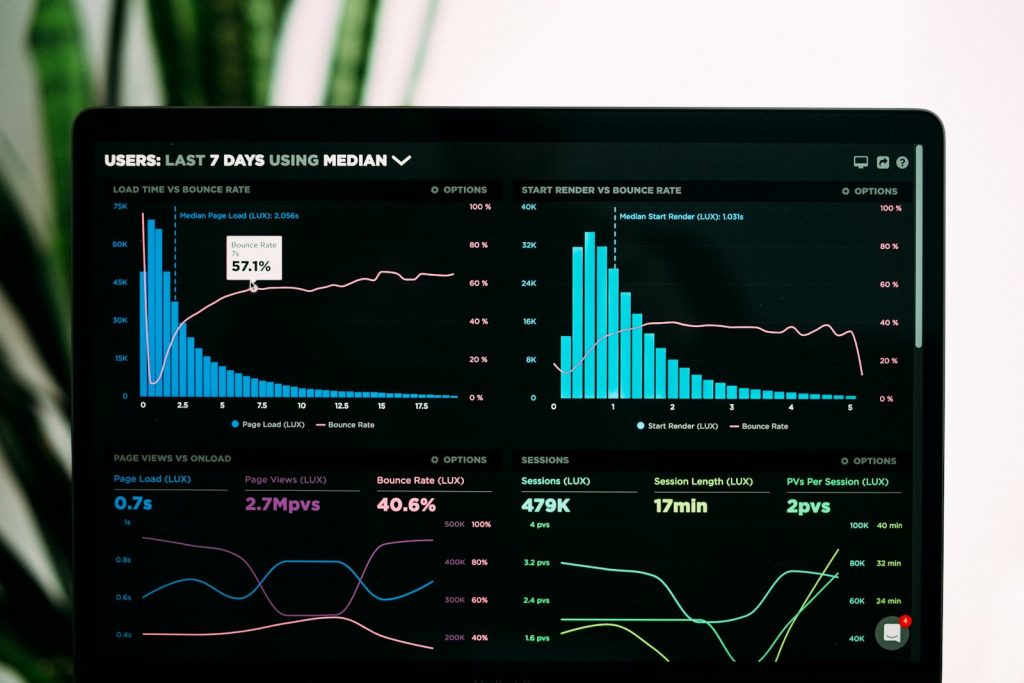
You don’t need expensive tools to start. Google Search Console has a Links report that shows your most linked pages. If your top service page sits near the bottom, that’s a red flag.
Next, run a crawl with a tool like Ahrefs Site Audit or Screaming Frog. Look for orphan pages, broken links and pages buried too deep. Also, make sure your XML sitemap lists every page you want indexed.
Finally, repeat the audit every few months. Websites change quickly, especially when you publish often. In short, a regular review keeps small problems from growing.
Conclusion: Start Linking Smarter Today
Internal linking is simple, free and fully in your control. Start with your money pages. Then, build topic clusters, use clear anchors and fix orphan pages. Over time, these small steps add up to stronger rankings.
Want to see how this works for real businesses? Check out our SEO case studies. Or, if you’d rather have experts handle it, explore our SEO services in Malaysia.
Not sure where your site stands? Get a free SEO audit from Creative Site. We’ll check your internal links, find orphan pages and show you exactly what to fix first.
Frequently Asked Questions
What is internal linking in SEO?
Internal linking is adding links between pages on the same website. It helps Google discover your pages, understand their topics and pass authority between them.
How many internal links should a page have?
There’s no fixed number. Ahrefs suggests 3 to 5 contextual links per article as a starting point. Add more only when they truly help the reader.
Does internal linking help with rankings?
Yes, they can. Internal links help Google find and understand your pages. They also guide authority to your most important pages, which can support better rankings.
What is an orphan page?
An orphan page has no internal links pointing to it. Because of that, search engines may have trouble finding it. Fix it by linking to it from related content.
Should internal links be nofollow?
In most cases, no. Internal links should usually be followable so Google can crawl them. Use nofollow mainly for untrusted or user-generated links.